


First, let’s create a Kinotek account.
Follow the steps below to complete the set-up of your new Kinotek account.
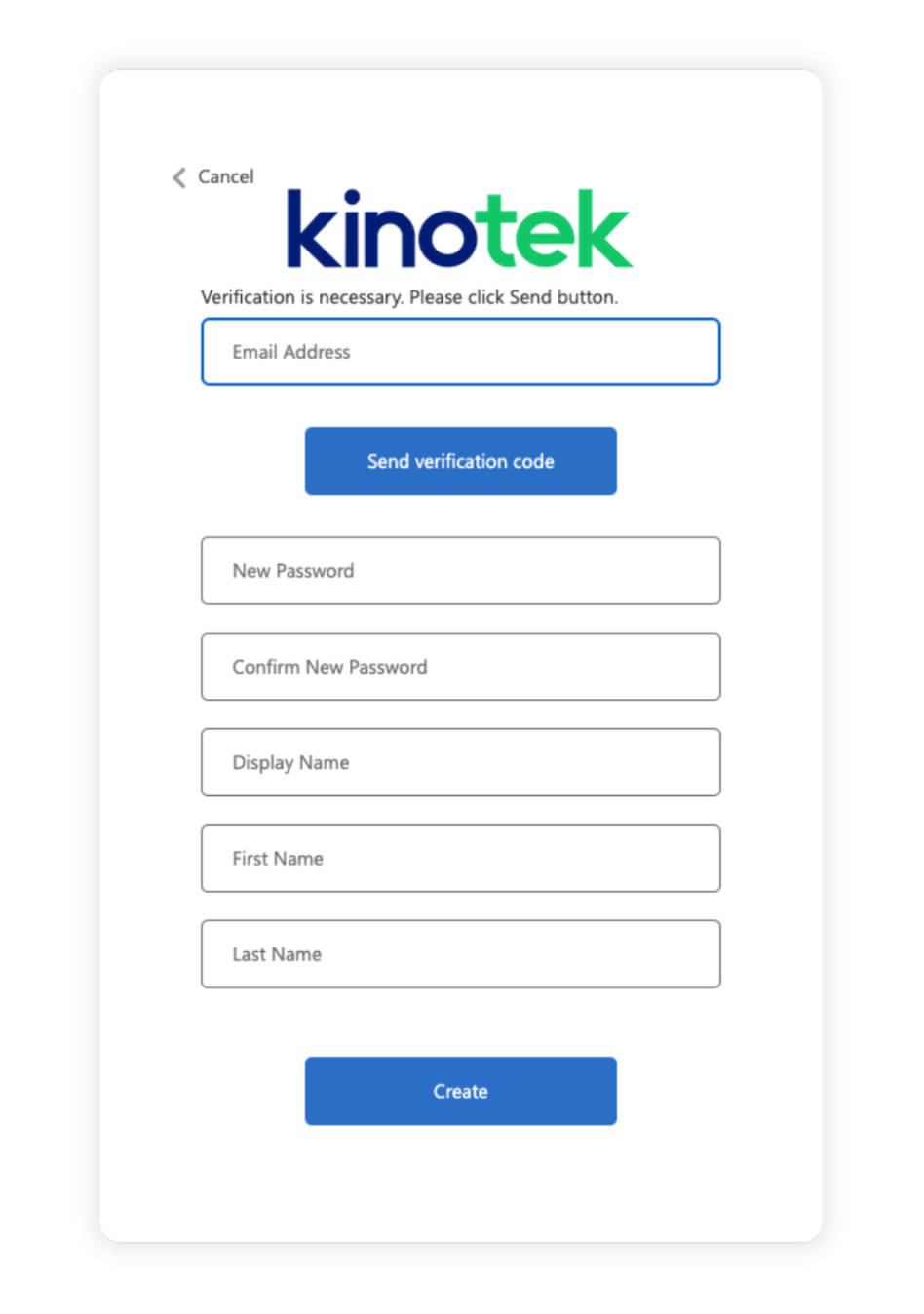
To get started, go to www.kinotek.app
Click "Sign up now"
Enter the email address that you would like to sign up with
Click "Send verification code"
In a separate tab or window, navigate to your email and retrieve the verification code from the email sent from Microsoft "on behalf of Kinotek"
Toggle back to the Kinotek tab or window and paste the verification code into the corresponding field
Click "Verify Code" (If you cannot find the verification code, or verification is not working, click "Send new code" and repeat steps 5-7)
Enter the password you would like to use in the "New Password" field
Confirm this password by typing it again in the "Confirm New Password" field
Enter the name you would like displayed on your account in the "Display Name" field
Click "Create"
Next, it’s time to get familiar with the Kinotek platform.
Watch this video to get a step-by-step walk through of the app, as well as some helpful tips to get you started.
We recommend that all staff who will be using Kinotek watch the video before setting up.

00:00 Welcome
00:48 Who is Kinotek?
01:17 How Does it Work?
02:08 What is it's Accuracy?
03:00 Overview
04:08 Tripod & Connecting to PC
05:28 Your Movement Assessment Station
07:03 Intro to the App
08:10 Create a Playlist
08:45 Create a Client Account
09:44 Add Movement or Playlist
10:05 The Instructions
10:34 Your Client's Clothing
11:37 Screening Page
14:19 Pain & Notes
14:46 How to Read Reports
15:47 Mobility Report
20:09 Movement Quality Report
22:23 There's More Data!
23:02 Graphs & Visualizations
27:12 Summary
Let’s dive into movement health and measurement.
Watch this video to learn how to interpret Kinotek reports and understand the scoring system.
This will help you make the most of Kinotek’s insights.

00:00 Intro
00:35 The Musculoskeletal Problem
02:23 The Basics of Movement Health
05:58 How to Read Kinotek Reports & Graphics
03:00 Overview
18:46 Key Movements & Common Dysfunctions
05:28 Your Movement Assessment Station
27:45 Summary
Helpful Documents & Marketing Materials
If you have any additional marketing requests, reach out to marketing@kinotek.com.
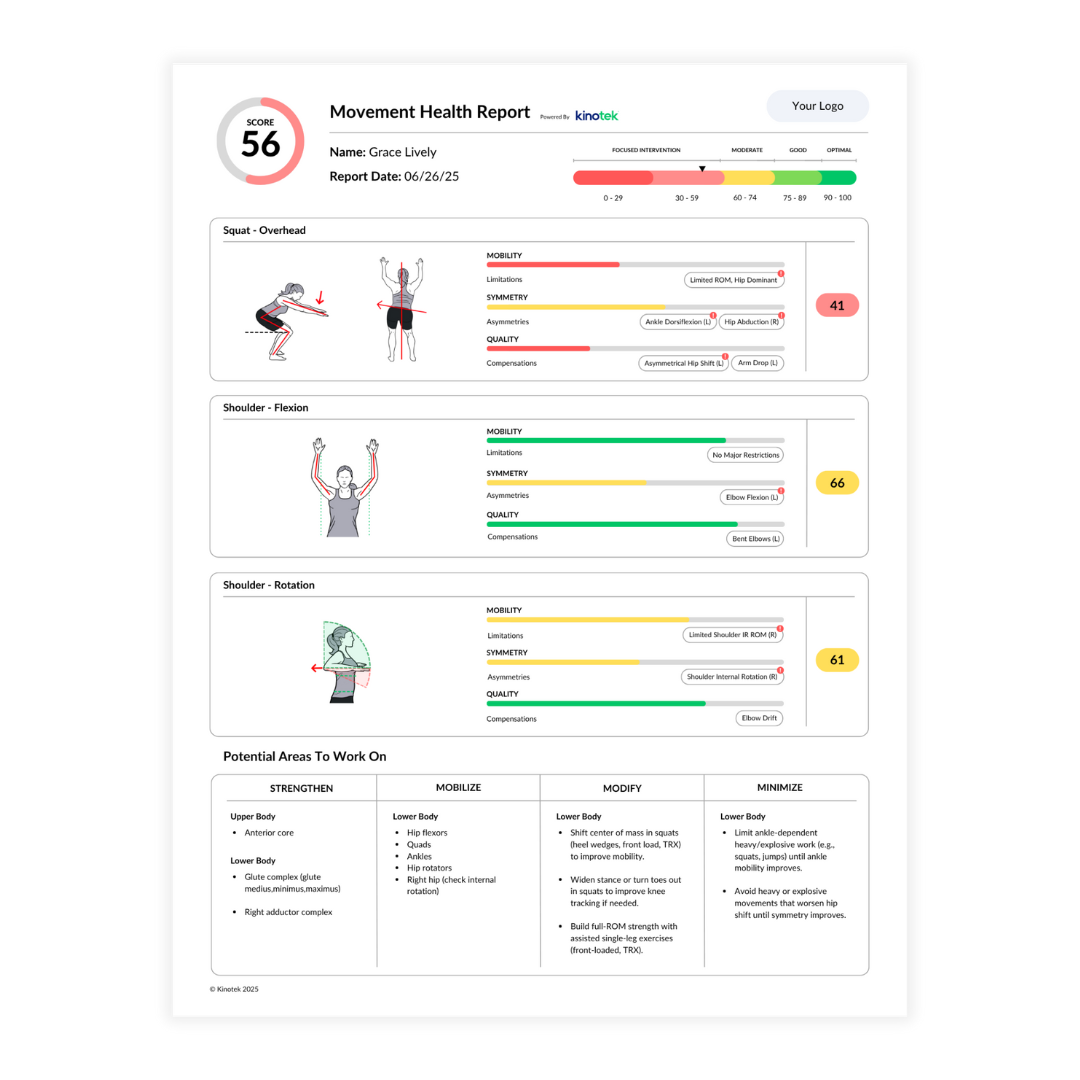
Kinotek Sample Report
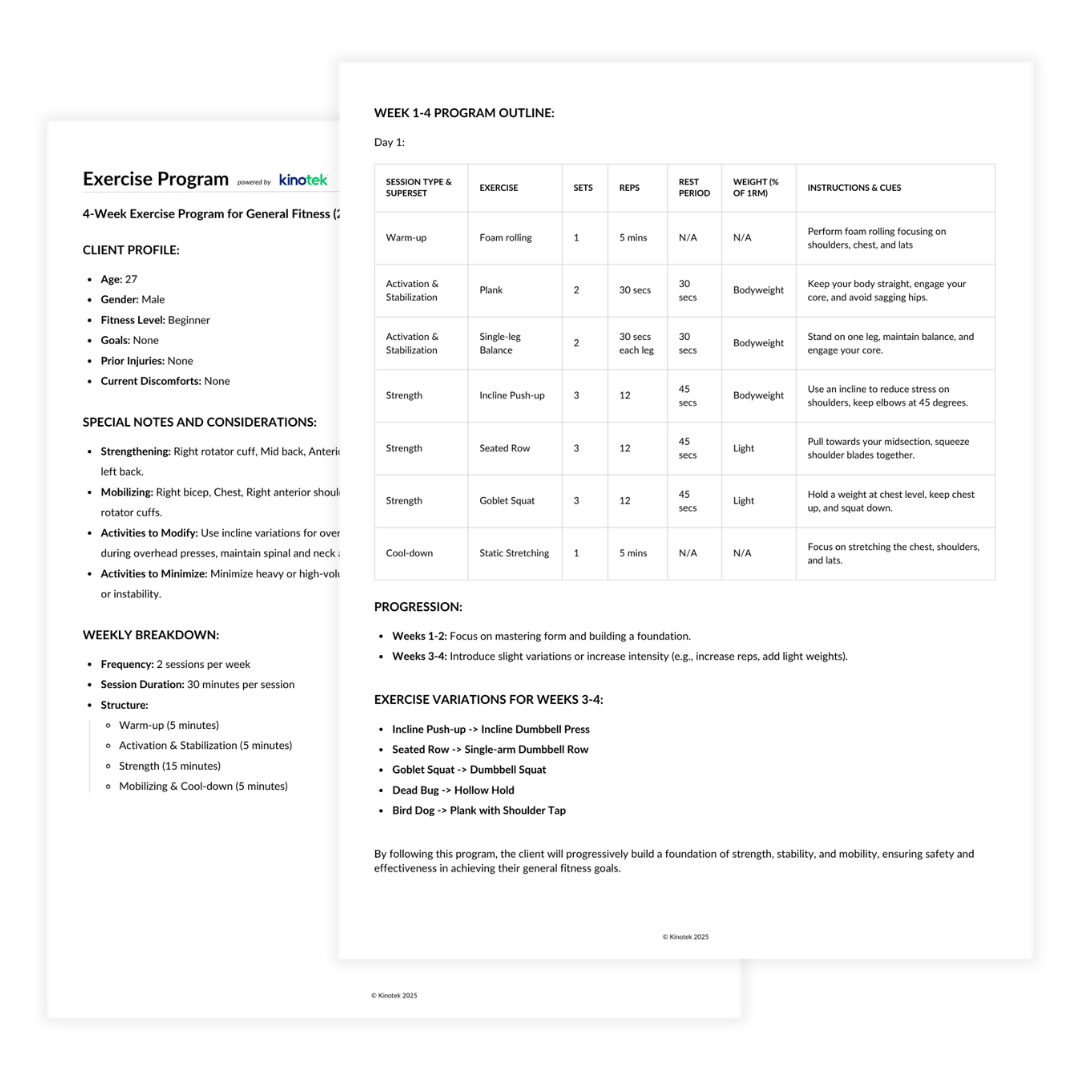
Kinotek Sample Exercise Program (EXP)
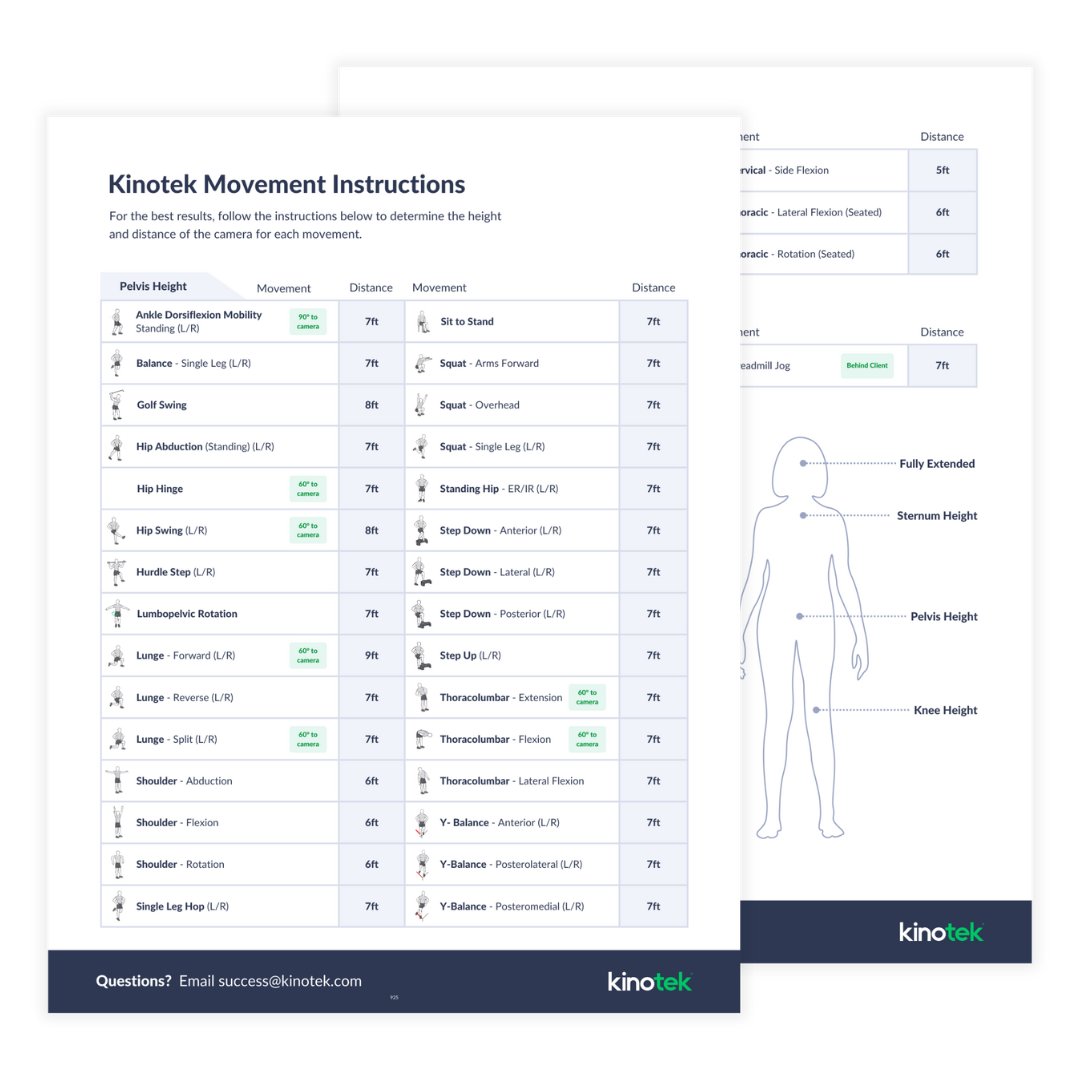
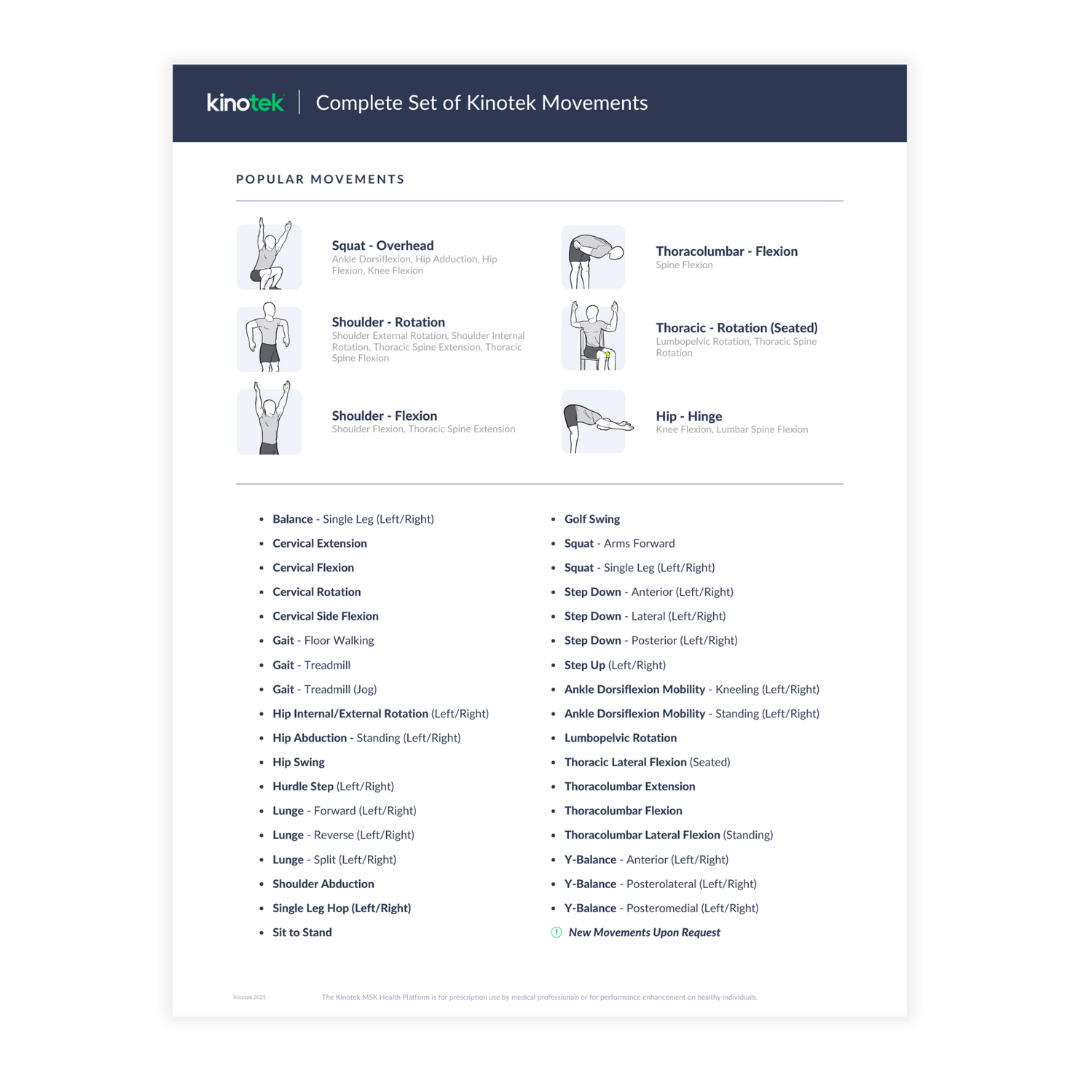
Complete Set of Movements
Kinotek Movement Instructions
Additional Resources
(How-To Guides, Recommendations, Marketing Assets)
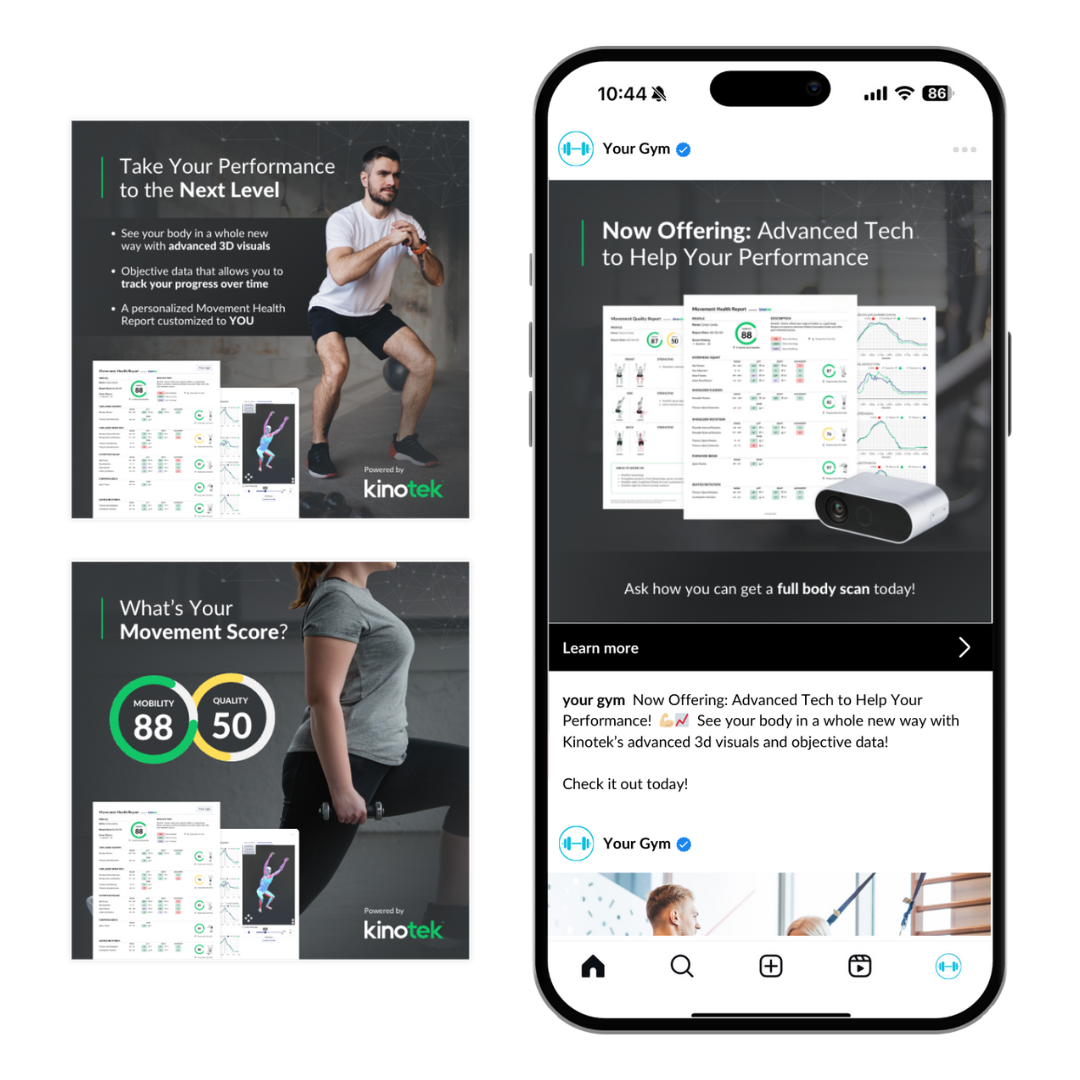
Custom Social Media Posts

For additional information or questions concerning your Kinotek account,
contact your Account Executive or email support@kinotek.com.
©2025 Kinotek. All rights reserved.